
Reviews
Mosaic Tile Match 3D stands out for its peaceful pacing and satisfying visual payoff. The upgrade system adds just enough depth without complicating the core loop. Helpers unlock at level five, streamlining repetitive tasks. The cross-platform support is seamless, making it easy to play anywhere. It is an excellent choice for puzzle fans who value relaxation over competition.
About this game
Core Matching Mechanics
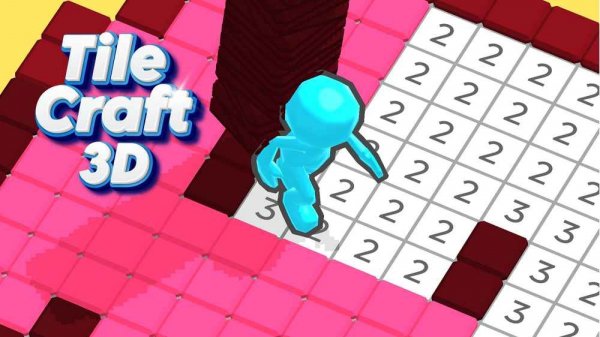
In Mosaic Tile Match 3D, each level presents a grid with numbered slots. Your task is to select tiles from a side panel and place them onto matching numbers on the board. As you correctly position each tile, a section of a larger picture emerges. The game avoids time pressure, letting you think through each placement at your own pace. This methodical approach turns puzzle-solving into a meditative activity, where precision matters more than speed.
Progression and Upgrades
Completing levels rewards you with coins, which can be spent in the upgrade menu. Here, you can enhance abilities such as placement speed or accuracy. Reaching level five unlocks the option to hire assistants. These helpers automatically place tiles on simple matches, allowing you to focus on more complex sections. The upgrade system gives you a sense of steady growth without overwhelming complexity.
Visual Style and Atmosphere
The game uses bright, clean 3D graphics that make each finished mosaic pop with color. Tiles have a satisfying snap when placed, and the background music is soft and unobtrusive. The overall presentation aims to reduce stress rather than create tension. Each completed artwork is saved, letting you revisit your creations. This visual feedback reinforces the satisfaction of building something beautiful step by step.
Cross-Platform Accessibility
Mosaic Tile Match 3D runs smoothly on web browsers, Android, and iOS devices. Progress syncs across platforms, so you can switch from phone to computer without losing your place. Touch controls work well on tablets, while mouse and keyboard offer precise placement on desktop. The interface adapts to different screen sizes, keeping the tiles large enough to tap or click easily.
Tips for a Smooth Experience
Take your time examining the board before placing tiles. Prioritize upgrades that reduce placement time early on, as this makes later levels flow faster. Save coins for helper unlocks once you reach level five, as they significantly cut down repetitive matching. If a level feels tricky, stepping away for a few minutes often helps you spot the correct tile placement upon return.








Comments
Sign in to leave a review
No account? Create one
No comments yet.